
Your deck can now play the matchup before you do.
Game Simulator turns two Gundambay decks into a quick scouting report: win rate, best strategy, game length, starting position, tempo, tactical resources, and typical board pressure.
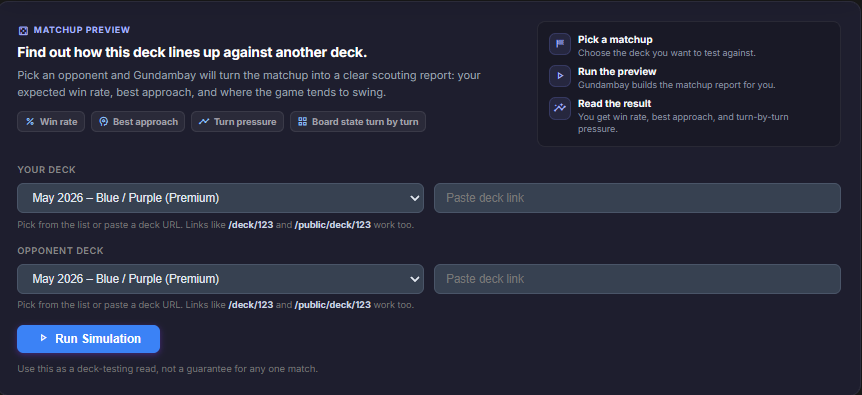
Pick the Matchup
Start from any deck page or open the simulator directly. Choose your deck, choose an opponent, or paste a deck link. You can test against meta templates, your own decks, or any accessible Gundambay list.
Read the First Result
The first panel gives the matchup verdict: win rate, best strategy, average turns to win, average game length, and whether the deck performs better going first or second.
The strategy recommendation is especially useful. Some matchups want pressure, some want patience, and some only work when the deck adapts turn by turn.
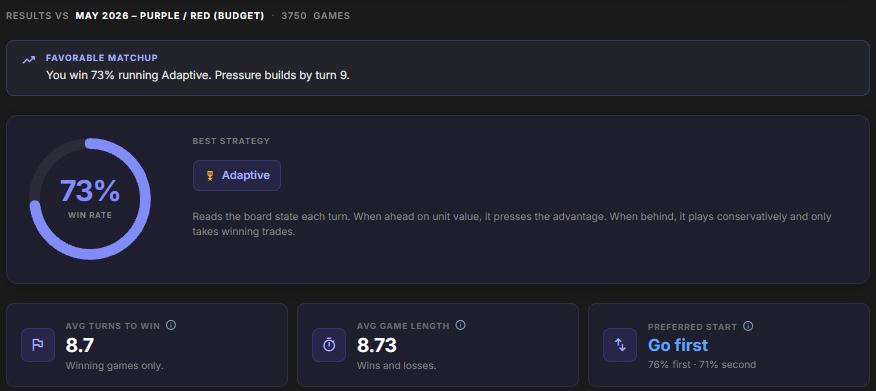
The simulator does not replace testing. It tells you which matchups are worth testing first.
See When the Game Swings
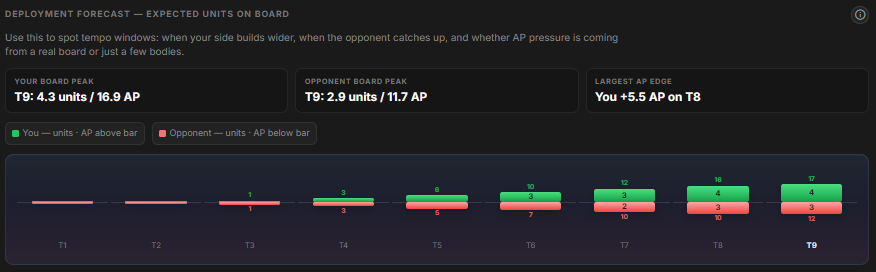
Deployment Forecast shows expected units and AP by turn. It helps spot tempo windows: when your board gets wider, when the opponent catches up, and whether your pressure comes from bodies, AP, or both.
Find the Real Pressure Point
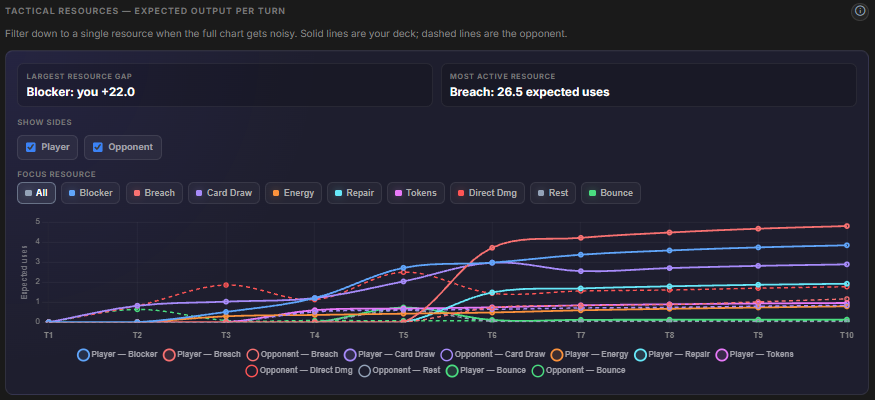
Tactical Resources breaks down effects like Blocker, Breach, Card Draw, Energy, Repair, Tokens, Direct Damage, Rest, Bounce, and more.
This is where vague matchup problems become specific. Are you losing to Breach? Running out of draw? Failing to clear blockers? The chart shows which resources appear, when they appear, and which side is getting more from them.
Inspect the Typical Board
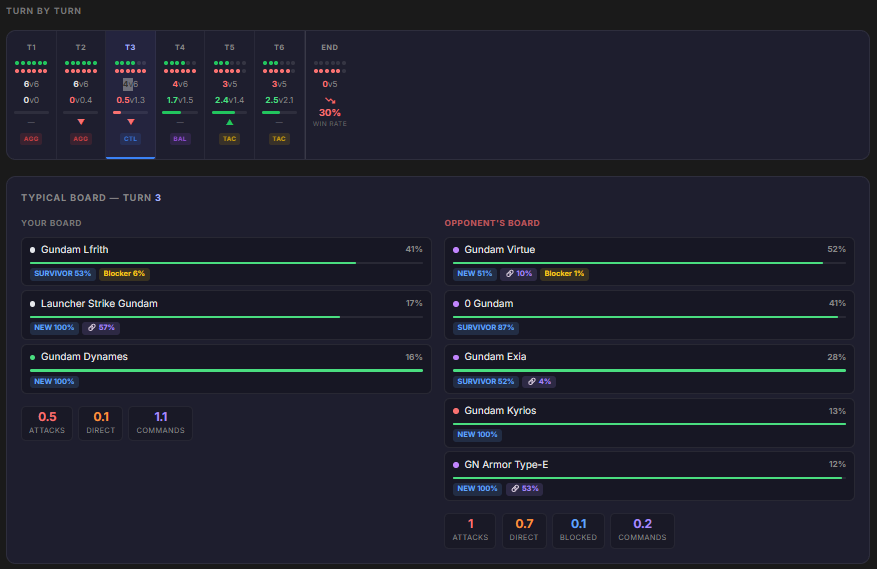
Turn by Turn shows shields, units, AP pressure, strategy signals, and the typical board state for each turn. Click a turn to see which units usually appear, how healthy they are, and how often they attack, block, pair, link, or use effects.
More Detail When You Need It
The full report also includes wins by turn, side-by-side Turn Profiles, saved simulation links, and Meta Coverage sweeps for Patreon supporters.
Use it to answer the practical deckbuilding questions:
- Which matchups are actually bad?
- Should this deck play faster or more defensively?
- Which turn is the problem turn?
- Does the list work across the meta, or only into one target?
Patreon support helps fund tools like this: deeper simulations, matchup history, meta sweeps, and better ways to turn decklists into useful testing data.